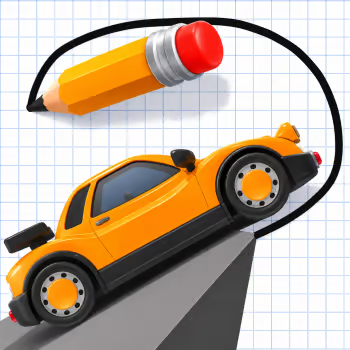
About Draw the Road
Draw the Road is a creative puzzle game that turns a simple drawing line into a path for a moving vehicle. Instead of driving along a road that already exists, you must figure out how to create a safe route across gaps, uneven ground, and challenging obstacles.
Every level presents a new problem to solve. A missing section of road might need a straight bridge, while a raised platform may require a carefully shaped ramp. The challenge is not just connecting two points but making sure your vehicle can actually travel along the path you create.
Physics plays an important role in how your drawings work. A steep slope may stop a vehicle from climbing, and a poorly positioned bridge can leave it unable to cross. Sometimes a small adjustment to the angle or starting point is enough to turn an unsuccessful attempt into a working solution.
Draw the Road encourages experimentation rather than speed. You can study the environment, try different shapes, and learn how the vehicle responds to each route. As the puzzles become more demanding, finding a practical solution requires a combination of creativity and logical thinking.
Play Draw the Road at GD Lite, put your problem-solving skills to work, and discover how a simple line can become the key to completing a challenging journey.
How to Play
Examine the starting position of your vehicle and the destination. Look for gaps, elevated surfaces, and other obstacles that prevent it from moving forward safely.
Use your mouse or finger to draw a road across the missing sections. Create bridges over gaps and smooth ramps when the vehicle needs to climb onto a higher platform.
Watch how the vehicle moves along the route. If it cannot reach the destination, consider whether your line is too steep, too short, or poorly connected to the existing ground.
Adjust your approach and try again until the vehicle reaches the finish. In levels with interactive objects, you may also need to select or activate them to complete the route.
Controls
-
Left Mouse Button: Click and drag to draw a road
-
Mouse Click: Interact with selectable objects or blocks
-
Touch Controls: Drag your finger to create a path on compatible devices
-
Restart Button: Retry the current puzzle when needed
Difficulty
⭐⭐⭐☆☆
Medium
Best For
Puzzle Games Fans, Physics Puzzle Players, Drawing Games Fans, Creative Problem Solvers, Casual Players
Why You'll Love It
-
Turn your drawings into useful roads and bridges.
-
Solve vehicle puzzles without traditional steering controls.
-
Experiment with different routes and ramp shapes.
-
Discover how slopes and gaps affect movement.
-
Use creative thinking to overcome difficult terrain.
-
Learn from unsuccessful attempts and improve your designs.
-
Enjoy straightforward drawing controls.
-
Complete satisfying challenges with your own solutions.
Game Features
-
Creative road-drawing gameplay
-
Physics-based vehicle movement
-
Interactive puzzle levels
-
Custom road construction
-
Bridge drawing challenges
-
Ramp building mechanics
-
Gaps and uneven terrain
-
Vehicle navigation puzzles
-
Route planning
-
Drawing-based controls
-
Environmental obstacles
-
Trial-and-error problem-solving
-
Increasing puzzle complexity
-
Short gameplay sessions
-
Single-player experience
-
Browser-based gameplay
Tips and Tricks
Draw Smooth Ramps
Avoid making ramps unnecessarily steep. A gradual incline gives the vehicle a better chance of climbing without losing momentum or becoming stuck.
Connect Both Ends of a Bridge
When drawing across a gap, make sure the new road connects properly to the surrounding terrain. A small break can prevent the vehicle from crossing safely.
Think About the Vehicle's Movement
A road that looks correct may still fail if its shape does not suit the vehicle's speed and movement. Consider how the vehicle will travel over each section.
Use Simple Solutions First
Try the shortest practical route before creating complicated curves. Simple bridges and ramps are often easier to test and adjust.
Learn From Every Attempt
If the vehicle stops, falls, or fails to reach the destination, identify exactly where the problem occurred. Change that part of the drawing rather than starting with a completely different design.
Similar Games
FAQ
What is Draw the Road?
Draw the Road is a physics-based puzzle game where players create roads, bridges, and ramps to help a vehicle travel across obstacles and reach its destination.
How do you play Draw the Road?
Use your mouse or finger to draw a route for the vehicle. Make sure the path connects safely across gaps and uneven terrain so the vehicle can continue toward the finish.
What is the goal of Draw the Road?
The goal is to create a usable route that allows the vehicle to overcome obstacles and reach the destination.
Can you draw your own roads in Draw the Road?
Yes. Drawing is the main gameplay mechanic. You create the path rather than simply driving along an existing track.
Is Draw the Road a racing game?
Draw the Road includes vehicles, but its main focus is solving physics puzzles and constructing safe routes rather than racing against opponents.
Why does my vehicle get stuck?
The road may be too steep, disconnected from the terrain, or shaped in a way that prevents the vehicle from moving forward. Try drawing a smoother path.
How do you cross large gaps?
Draw a bridge connecting the two sides of the gap. Make sure the line provides a continuous surface for the vehicle to travel across.
What is the best strategy for Draw the Road?
Study the obstacle before drawing, use gentle slopes, and test simple routes first. If a solution fails, adjust the section causing the problem.
Is Draw the Road difficult?
The basic controls are easy to learn, but more complicated terrain can require careful planning and several attempts to solve.
Can I play Draw the Road on mobile?
Some browser versions support touchscreen drawing on compatible phones and tablets. Availability depends on the version being played.
Is Draw the Road free to play?
Yes. Draw the Road is available to play for free through supported browser-game platforms.