About Geometry Arrow
Geometry Arrow is a precision-based flying game built around one simple idea: keep a moving arrow inside the safe path. Instead of jumping across platforms, you guide the arrow in a sharp zigzag pattern, rising when you press and falling when you release. That small control difference makes every narrow passage feel tense.
The courses are filled with spikes, walls, tight corridors, and sudden elevation changes. Early sections give you room to understand how quickly the arrow climbs and drops, while later stages demand much finer control as the speed and obstacle density increase. The dark, high-contrast visual style keeps the focus on the route ahead rather than unnecessary distractions.
Geometry Arrow is a strong choice for players who enjoy wave-style challenges where consistency matters more than luck. Play it on GD Lite and see how smoothly you can guide the arrow through each dangerous section.
How to Play
The arrow moves forward automatically. Hold the control to make it travel diagonally upward, then release to send it downward. Your goal is to stay between the walls and pass through narrow openings without touching spikes or other barriers. Use short presses for small adjustments and longer holds when you need to climb quickly. Looking ahead is essential, especially once the passages become tighter and faster.
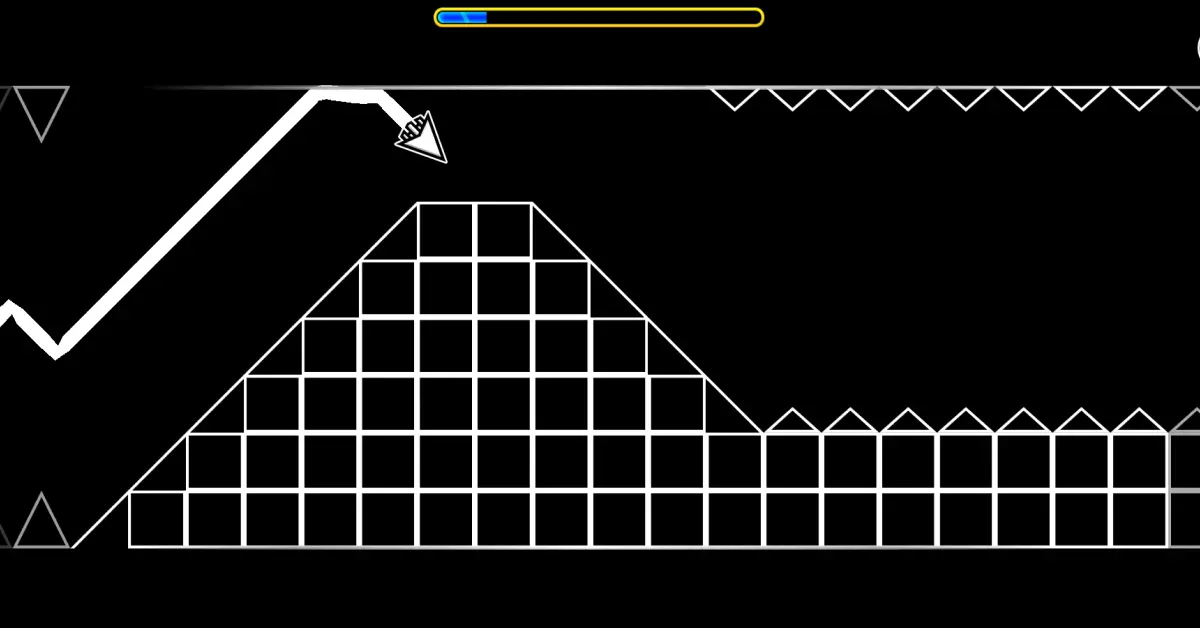
Geometry Arrow Gameplay
Controls
Desktop
- Left Mouse Button: Hold to rise
- Spacebar: Hold to rise
- Up Arrow: Hold to rise
- Release: Move downward
Mobile
- Touch and hold: Rise
- Release: Move downward
Difficulty
Hard
Best For
- Wave Game Fans
- Precision Players
- Reflex Training
- Tight-Space Challenges
- Quick Play Sessions
Why You'll Love It
- One-button controls that are simple but demanding.
- Zigzag movement that rewards small, accurate adjustments.
- Narrow passages that create constant tension.
- Minimal visuals that keep your attention on the course.
- Increasing difficulty that makes improvement easy to notice.
Game Features
- Wave-style flying mechanics.
- Automatic forward movement.
- Spikes, walls, and narrow corridors.
- Increasing speed and obstacle density.
- High-contrast geometric environments.
- Browser-based gameplay with simple controls.
Similar Games
Players who enjoy Geometry Arrow may also like:
FAQ
Is Geometry Arrow free to play?
Yes. Geometry Arrow is available as a browser game and can be played online.
How do you control the arrow?
Hold the mouse button, Spacebar, or Up Arrow to move upward and release to move downward. On mobile, touch and hold the screen, then release to descend.
What is the goal of Geometry Arrow?
Your goal is to guide the arrow through the course without touching spikes, walls, ceilings, or floors and reach the end safely.
Is Geometry Arrow difficult?
The basic controls are easy to learn, but later sections use tighter gaps, faster movement, and denser obstacle patterns that require much more precise timing.
How can I improve at Geometry Arrow?
Avoid holding the control for too long in narrow areas. Short, controlled presses give you better accuracy, and keeping your eyes ahead of the arrow helps you prepare for the next gap instead of reacting too late.